
공돌이의 DevOps 도전기
마이크로서비스 본문
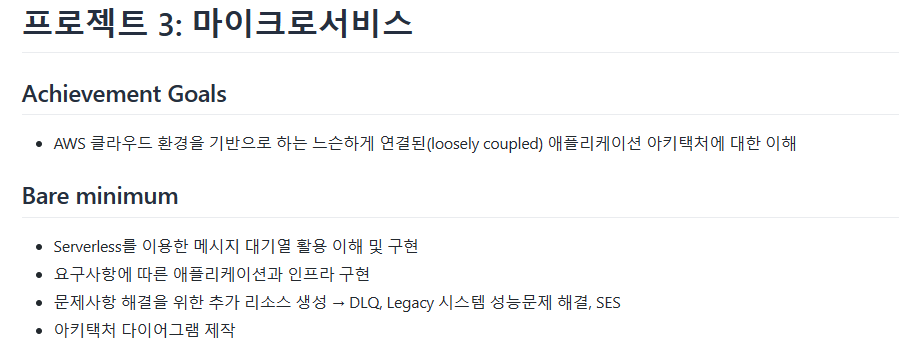
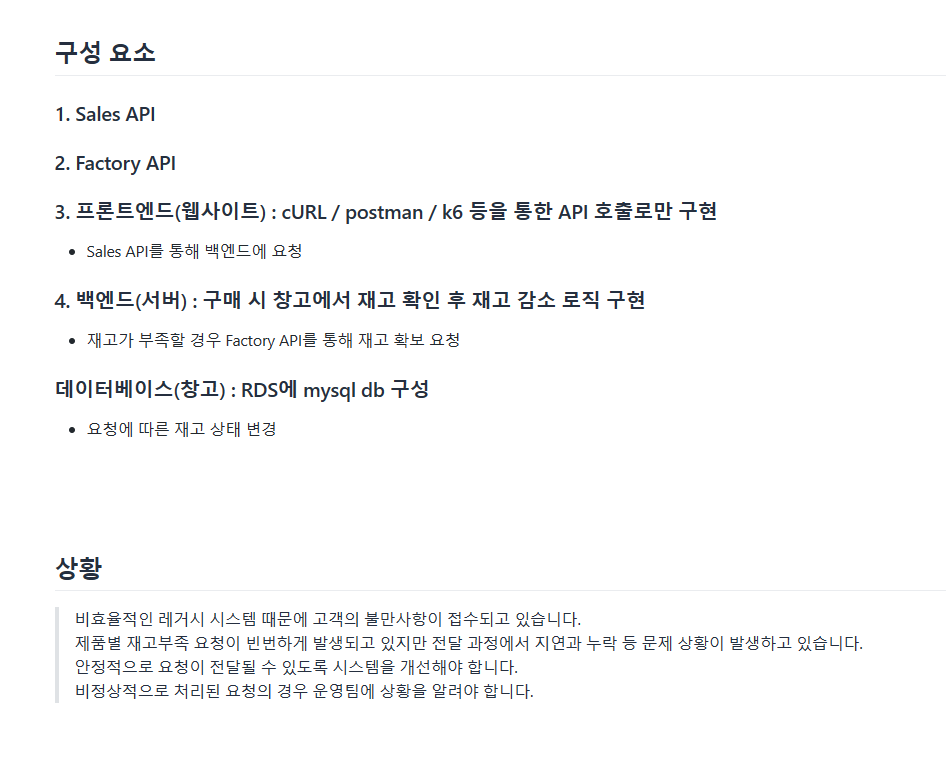
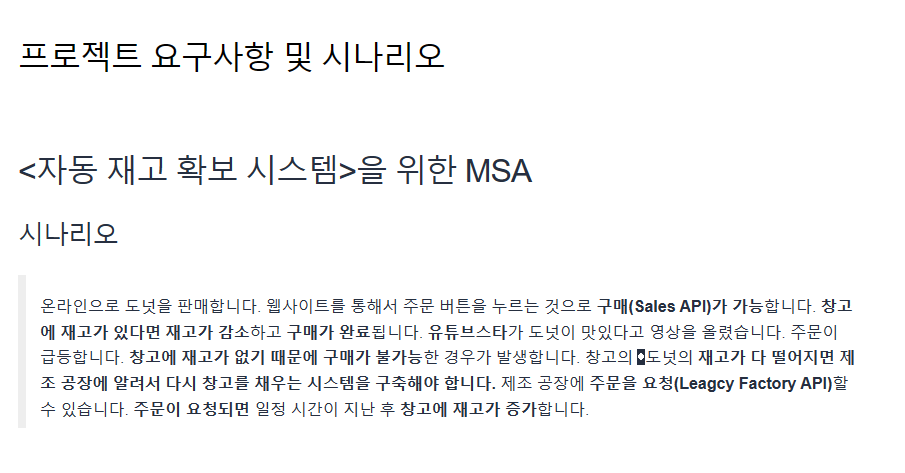
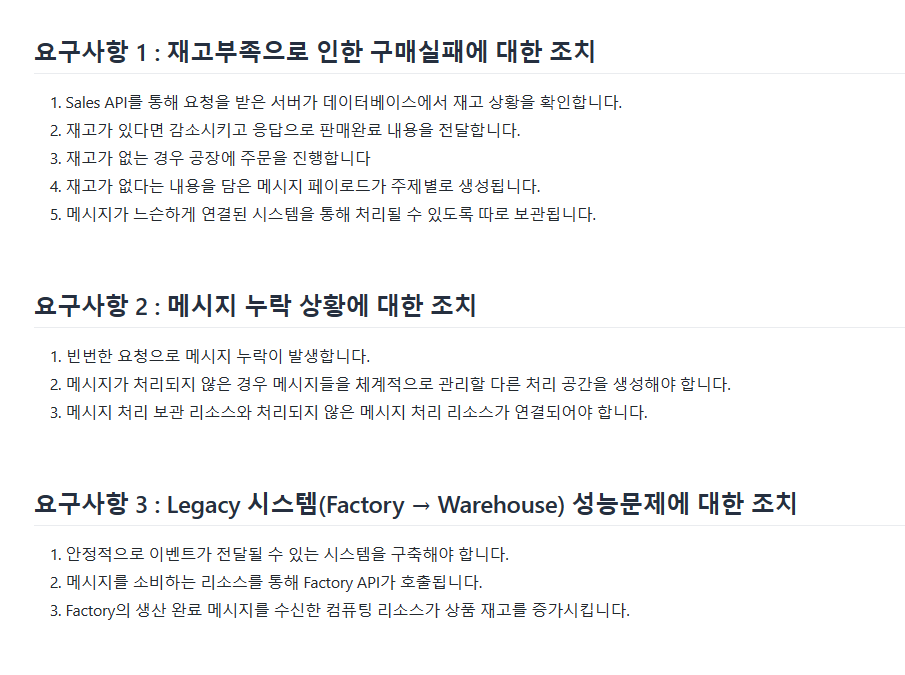
1. Serverless framework를 이용하여 Lambda, SQS, SNS, IAM 생성
service: sales-api # .yml file
frameworkVersion: '3'
provider:
name: aws
runtime: nodejs14.x
region: ap-northeast-2
iam:
role:
statements:
- Effect: Allow
Action:
- sns:Publish
- sns:ListSubscriptionsByTopic
- sns:Unsubscribe
- sns:Subscribe
Resource: !Ref StockEmptyTopic
- Effect: Allow
Action:
- sqs:SendMessage
- sqs:ListQueueTags
- sqs:Unsubscribe
- sqs:Subscribe
- sqs:ReceiveMessage
Resource: !GetAtt StockQueue.Arn
- Effect: Allow
Action:
- sqs:SendMessage
- sqs:ListQueueTags
- sqs:Unsubscribe
- sqs:Subscribe
- sqs:ReceiveMessage
Resource: !GetAtt DeadLQ.Arn
resources:
Resources:
StockEmptyTopic:
Type: AWS::SNS::Topic
Properties:
DisplayName: stock_empty
StockQueue:
Type: AWS::SQS::Queue
Properties:
QueueName: stock_queue
RedrivePolicy:
deadLetterTargetArn: !GetAtt DeadLQ.Arn
maxReceiveCount: 3
StockSnsSubscription:
Type: AWS::SNS::Subscription
Properties:
Endpoint:
Fn::GetAtt:
- StockQueue
- Arn
Protocol: sqs
TopicArn:
Ref: StockEmptyTopic
DeadLQ:
Type: AWS::SQS::Queue
Properties:
QueueName: DLQ
Outputs:
StockEmptyTopicArn:
Value:
Ref: StockEmptyTopic
Export:
Name: StockEmptyTopicArn
StockQueueArn:
Value:
Ref: StockQueue
Export:
Name: StockQueueArn
DeadLQArn:
Value:
Ref: DeadLQ
Export:
Name: DeadLQArn
functions:
3rd-project:
handler: handler.handler
events:
- httpApi: '*'
environment:
TOPIC_ARN:
Ref: StockEmptyTopic
STOCK_QUEUE_ARN:
Fn::GetAtt:
- StockQueue
- Arn
DLQ-lambda:
handler: DLQ.handler
events:
- sqs:
arn: !GetAtt DeadLQ.Arn
stock-lambda:
handler: stock-lambda.consumer
events:
- sqs:
arn: !GetAtt StockQueue.Arn
Trouble shooting
- Serverless framework로 생성한 SQS를 Lambda에 연결할 경우 제대로 동작하지 않는 문제가 발생 함 (SQS의 SNS 구독 Arn, SNS의 Target SQS Arn 이 제대로 지정되어도 동작 안함)
- 해결 : 각 서비스의 구독을 삭제한 후 메뉴얼로 다시 지정하니 제대로 동작 함 (Serverless Framework 자체 문제로 추측하였지만, 왜 framework로 생성했을 때 구동 안하는지는 해결하지 못함)
- SNS와 SQS의 권한 문제
- 해결 : IAM 설정(framework) 에서 문제 발생하는 권한을 하나씩 추가하여 해결 하였음
- DLQ 자체로는 Console Log를 확인 할 수 없기에 DLQ를 트리거하는 Lambda를 추가하여 DLQ로 제대로 메시지가 이동하는지 확인 하였음 (DLQ-lambda), 여기서도 1번 문제와 마찬가지로 SQS가 Serverless framework로 생성되었을 시 제대로 동작을 안하여 Triger와 Target을 메뉴얼로 지웠다가 다시 생성하였음
2. 데이터베이스의 재고를 증가시키는 Lambda 함수 생성
service: stock-increase-lambda # .yml file
frameworkVersion: '3'
provider:
name: aws
runtime: nodejs14.x
region: ap-northeast-2
functions:
api:
handler: handler.handler
events:
- httpApi: '*'
const serverless = require("serverless-http"); # handler.js
const express = require("express");
const app = express();
app.use(express.json())
const {
connectDb,
queries: { getProduct, increaseStock }
} = require('./database')
app.post("/product/donut", connectDb, async (req, res, next) => {
const [ result ] = await req.conn.query(
getProduct('CP-502101')
)
if (result.length > 0) {
const product = result[0]
console.log(req.body);
const incremental = req.body.MessageAttributeProductCnt || 0 # stock
console.log(incremental);
await req.conn.query(increaseStock(product.product_id, incremental))
return res.status(200).json({ message: `입고 완료! 남은 재고: ${product.stock + incremental}`});
} else {
return res.status(400).json({ message: "상품 없음" });
}
});
app.use((req, res, next) => {
return res.status(404).json({
error: "Not Found",
});
});
module.exports.handler = serverless(app);
module.exports.app = app;
Trouble shooting
- 요청은 제대로 보냈지만 재고가 오르지 않는 문제
- 해결 : 응답되는 body값을 console.log로 찍어보니,
더보기
const incremental = req.body.stock || 0
console.log(incremental);
body.stock 이 아니라 body.stockMessageAttributeProductCnt 로 날아옴,
const incremental = req.body.stock을 const incremental = req.body.MessageAttributeProductCnt로 변경하니 DB의 재고가 제대로 올라감
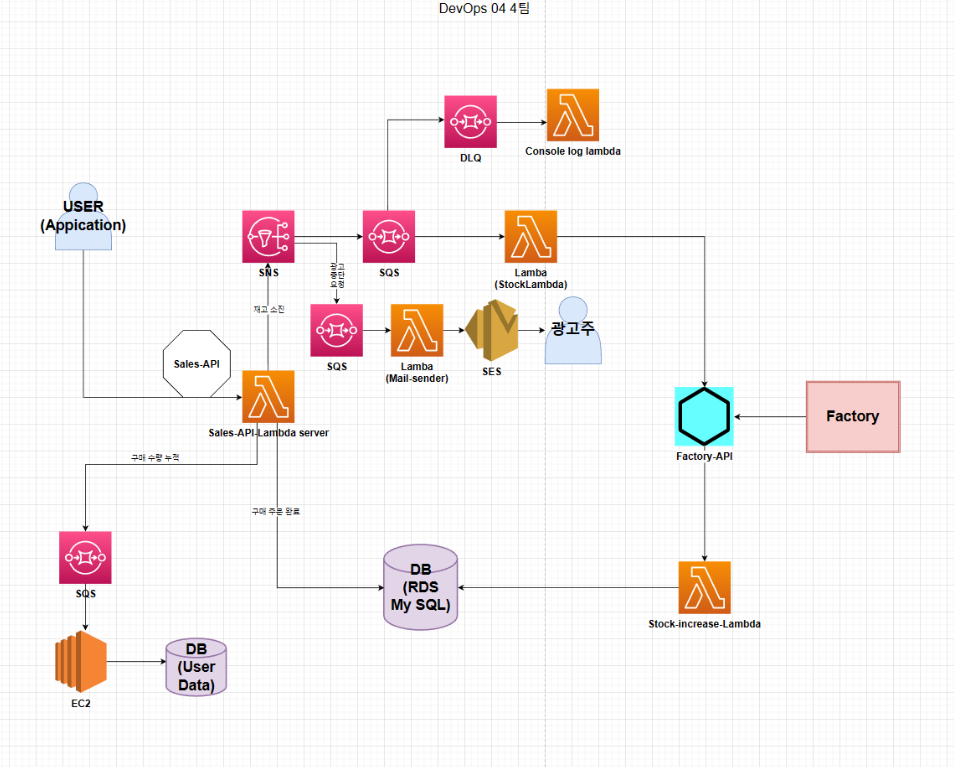
요구사항에 맞게 작성한 다이어그램
회고
이번 프로젝트는 Code source가 충분히 제공 되어 Logic 구현보다 마이크로서비스 구현에 더 집중 할 수 있었다. (DB 등등) 프로젝트를 진행하면서 느낀것 중 하나가 생성하는 서비스의 이름을 최대한 간단명료하고 통일성 있게 지어야 해야할 필요성을 느꼈다. 어차피 프레임워크에서 만들어서 배포할건데 무슨 상관인가 했지만, 결국엔 AWS 콘솔로 들어가서 문제를 해결해야하는 상황이 오는데, 이 때 만들어놓은 이름들이 너무 중구난방이라 찾기 힘들었다... (최대한 간단하고 알아보기 쉽게!!)
아직 해결 못한 문제도 있고, 완벽히 이해하지 못한것도 있지만, 그래도 무수한 삽질과 재시도를 반복하다보니 이제는 간단한 아키텍쳐는 구현 할 수 있을것 같다 (역시 삽질과 반복을 해야 눈에 들어오고 손에 익는다...)
'DevOps > TIL' 카테고리의 다른 글
| AWS ECS 배포 자동화 (0) | 2023.05.02 |
|---|---|
| YAML 작성 (0) | 2023.04.11 |
| Nginx 를 이용한 Reverse Proxy 서버 작성 (0) | 2023.04.10 |
| WAS 실습 (0) | 2023.04.05 |
| Postman (Get, Post 요청) (0) | 2023.03.17 |
'DevOps/TIL' Related Articles
more


Comments